
01
heading
Lowercase and bold, with the short bar underneath that runs through the whole site.
open-source flutter ui kit · v0.2.1 · MIT
Stamps, ink, tape and tear-offs. Handmade-paper widgets for Flutter, cut from the same paper as my portfolio. Every one below is live: press it, tick it, tear it, peel it. The Dart is on the facing page.
chapter i
Type, toggles and marks: the things you write on paper.
Lowercase and bold, with the short bar underneath that runs through the whole site.
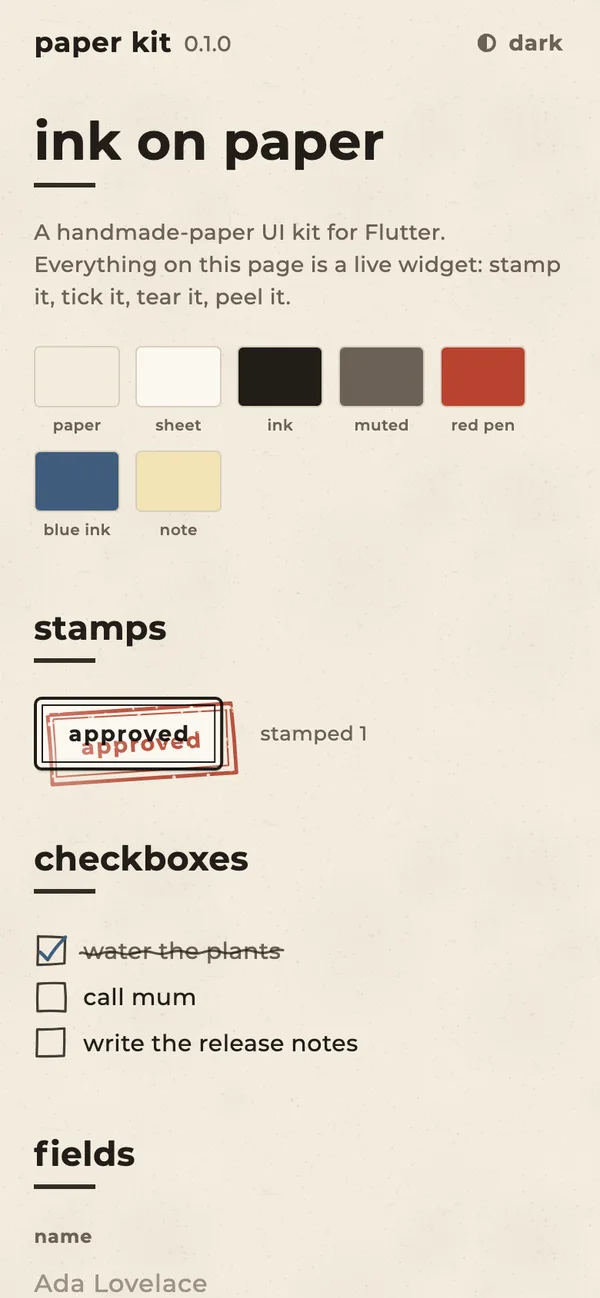
A lowercase toggle that names the theme it switches to, with a half-inked dot. The new theme spreads like an ink blot. Try the card, or the toggle at the top of the page.
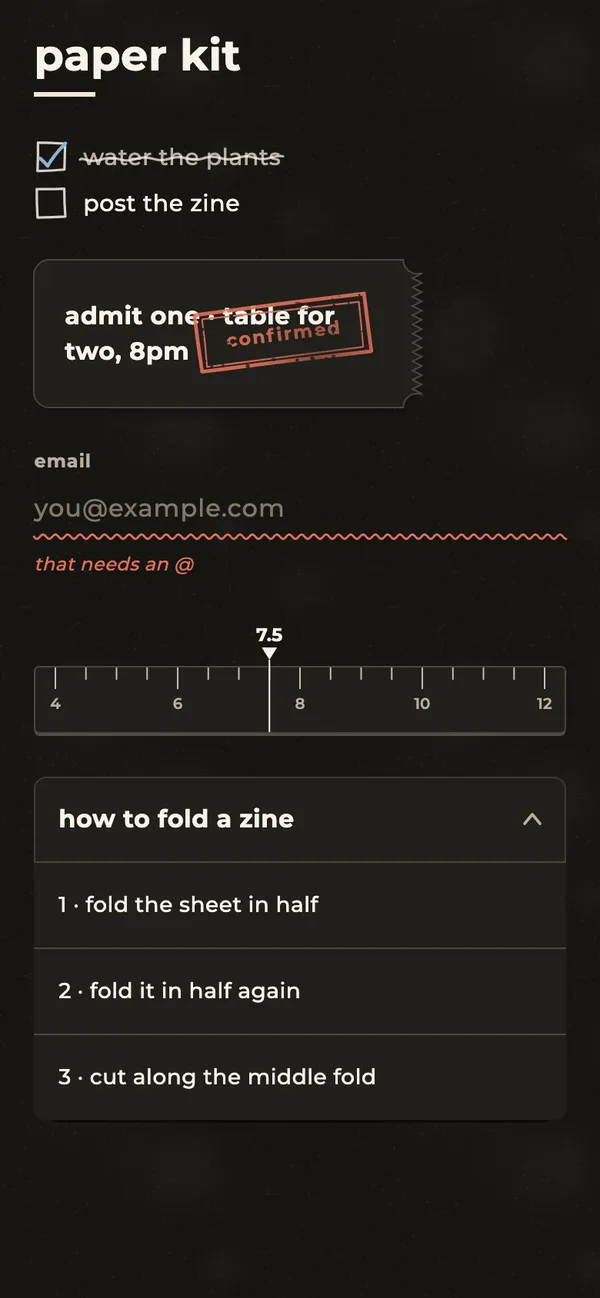
The paper, the ink and every widget on it follow the theme. Dark mode is espresso paper with cream ink.
A rubber stamp. It presses down, and lifting it leaves a rough red impression that fades into the paper.
press them, as often as you like
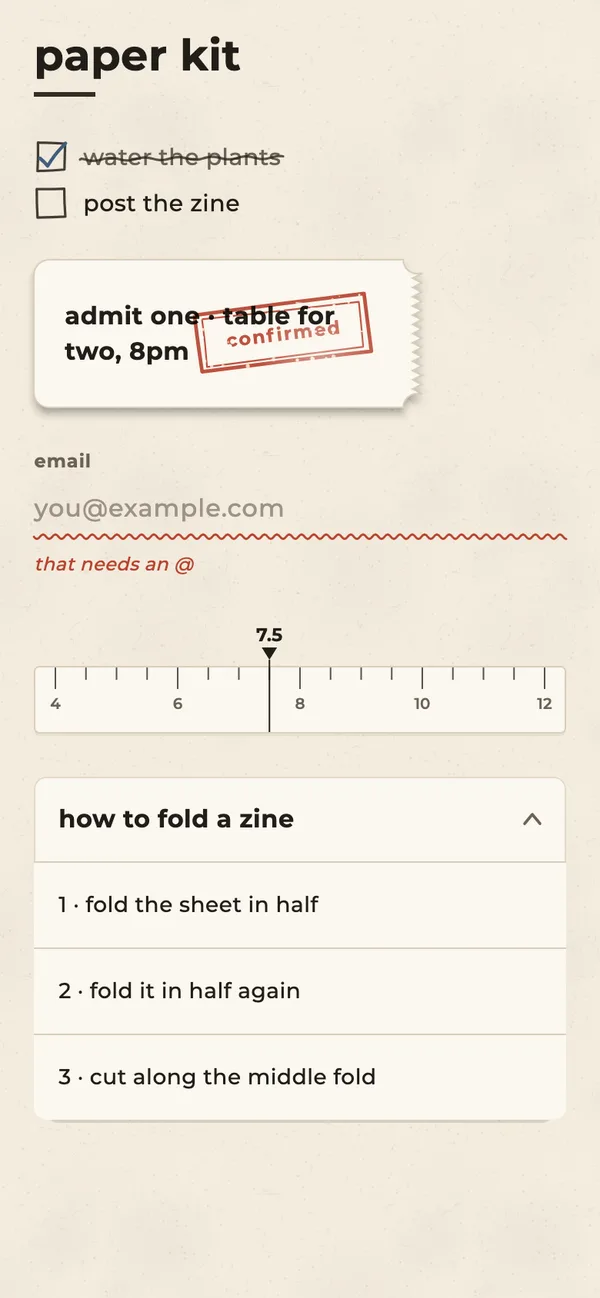
A hand-drawn box and a scribbled tick in blue ink. Ticked items get struck through, like a list in a notebook.
No box, just a ruled line. Focus draws it in ink from the left; an error turns it into a wavy red-pen line.
type something without an @ in the email, then leave the field
chapter ii
Surfaces you can pin, peel, fold and tear.
Paper under everything. The package draws its own grain (specks and short fibres), so it ships no images; pass a texture if you have one.
A card taped to the page with washi tape, a little crooked. It straightens up and lifts when you reach for it.
portra 400, two rolls. ask about the 35mm.
a page per street. stamp the corners.
7.5 cm all round, 12 pt type.
A sticky note you peel by its corner. The fold follows your finger; let go past halfway and it comes off.
An accordion that folds like a concertina zine: each panel hinged to the last, darker while it's angled away.
A ticket with a perforated stub. Pull the stub to the right: let go early and it springs back, pull far enough and it tears off.
the paper room
admit one
chapter iii
Paper that prints, folds, flies and slides.
A toast that prints out of a slot in jerky steps, like a till, then tears itself off. Tap it to tear it early.
A send button that folds itself into a paper plane and flies off, then comes back to say it's sent.
Coloured tabs sticking out of the page edge, like a ring binder. The chosen one comes forward and its page fades up.
three shoots, one deadline.
paper costs more than you think.
the people who make it happen.
A slider drawn as a paper ruler. The ink caret snaps to each mark with a small pop. Arrow keys work too.
chapter iv
Things that live on a writing desk: post, a typewriter, a shredder and a pad.
A letter sealed with wax. Tap it: the seal cracks, the flap swings up and the letter slides out. Tap again to put it back.
dear tobi,
the zine swap is on saturday at 3pm. bring something you made.
m.
Text struck a key at a time. Every letter lands a hair off the line and a little crooked, some inked heavier than others, a few struck twice.
Deleting, the physical way. The page feeds into a strip-cut slot and comes out the other side in curling strips that drop away.
do not read. the ending is terrible and the middle is worse.
A wire-bound pad, like a desk calendar. Tap or swipe up and the page flips up over the rings; swipe down to bring it back.
scan the film, two rolls.
lay out the zine. a page per street.
print run at tola’s. bring stamps.
zine swap, 3pm. bring something you made.
chapter v
A highlighter, a marker, a hole punch, a paperclip and scissors, and how each one feels in the hand.
A switch you turn on by running a highlighter over it. The stroke is streaky where the felt ran dry, and it sinks into the paper instead of sitting on it.
Text blacked out with a marker, a stroke per line. Tap a bar to lift the ink and read it; tap again to black it out.
memo · to tobi · re: the swap
The spare key is under the third plant pot, not the doormat. The money for the print run is in the blue tin. Don’t tell ade about the party.A loyalty card. Each tap punches a real hole, so you see the page through it, and the little disc of paper tumbles out. Fill it and it gets stamped.
A receipt held on with a wire clip, one loop in front of the paper and one behind. Tap to slide it out; tap again and it snaps back under.
film, paper, stamps and one very good coffee.
Cut along the dotted line. Drag the scissors and they snip as they go, leaving a ragged edge; reach the end and the coupon comes away. Tap to cut in one go.
How paper feels. A stamp is a heavy thud and a light lift; a tear is a run of clicks along the perforation. Every widget here plays its own. On a phone you feel them; here the pen draws them.
chapter vi
The iPhone frame from my portfolio, as a widget, with a fingertip that demos your app for you.
“field notes”, a little app built from this kit and running live. The fingertip walks through it on its own; touch the screen to take over.
chapter vii
Three steps, then everything above is yours.
01
From your Flutter project.
flutter pub add paper_kit
02
The kit is set in Montserrat. Bundle it, or use google_fonts.
flutter pub add google_fonts
03
PaperTheme gives every widget its paper and inks.
PaperTheme(
  data: PaperThemeData.light(),
  child: MyApp(),
)